SlideShare Downloader Free - PDF, ZIP & Images
Free SlideShare downloader online. Paste a public SlideShare URL, verify captcha, and download in seconds.
Scribd to PDF → separate tool for Scribd document links.
How to Download SlideShare Presentations
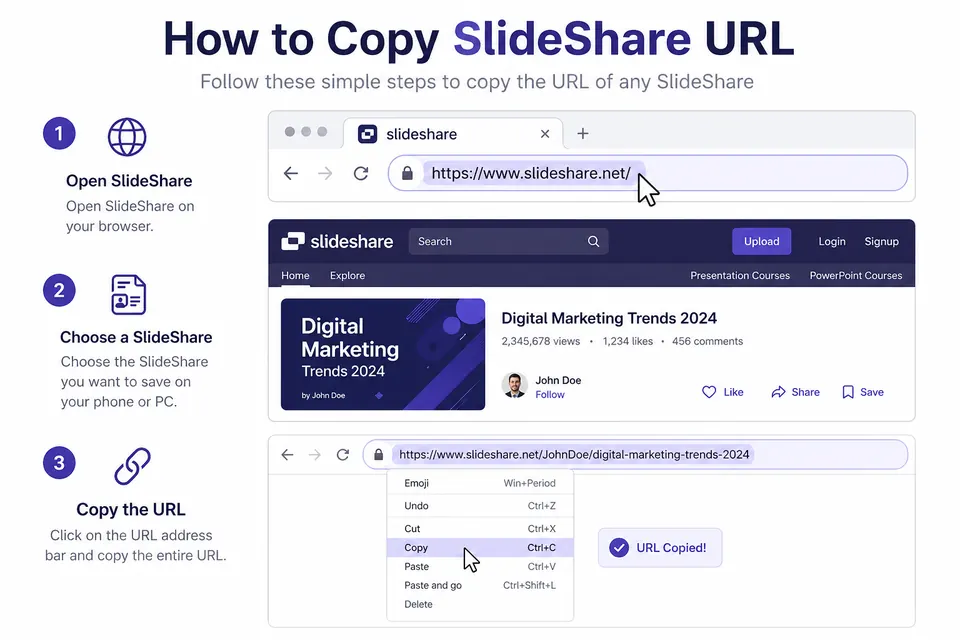
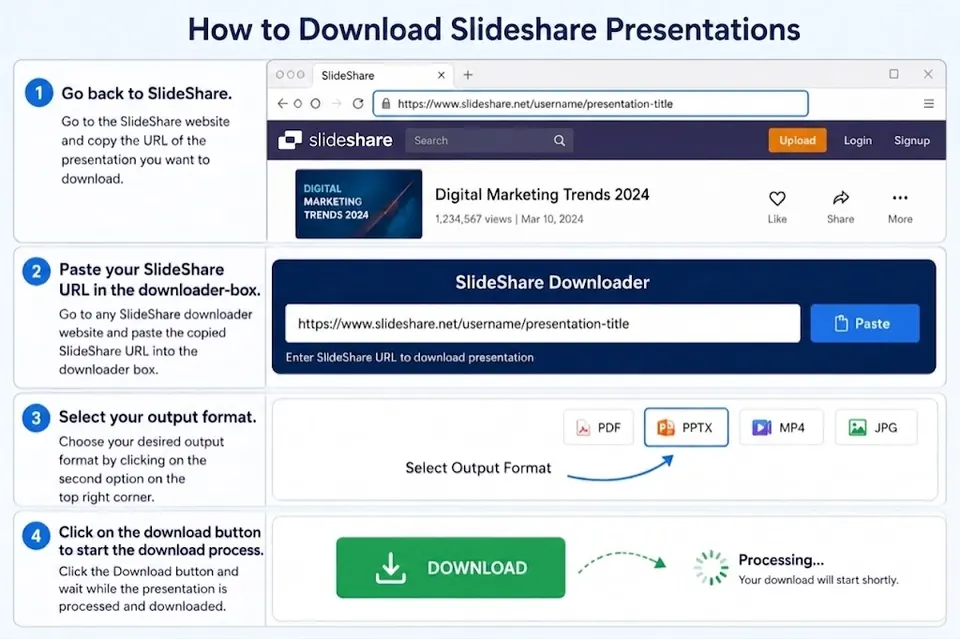
2. Paste and choose quality
Paste the link above and select low, medium, or high quality.
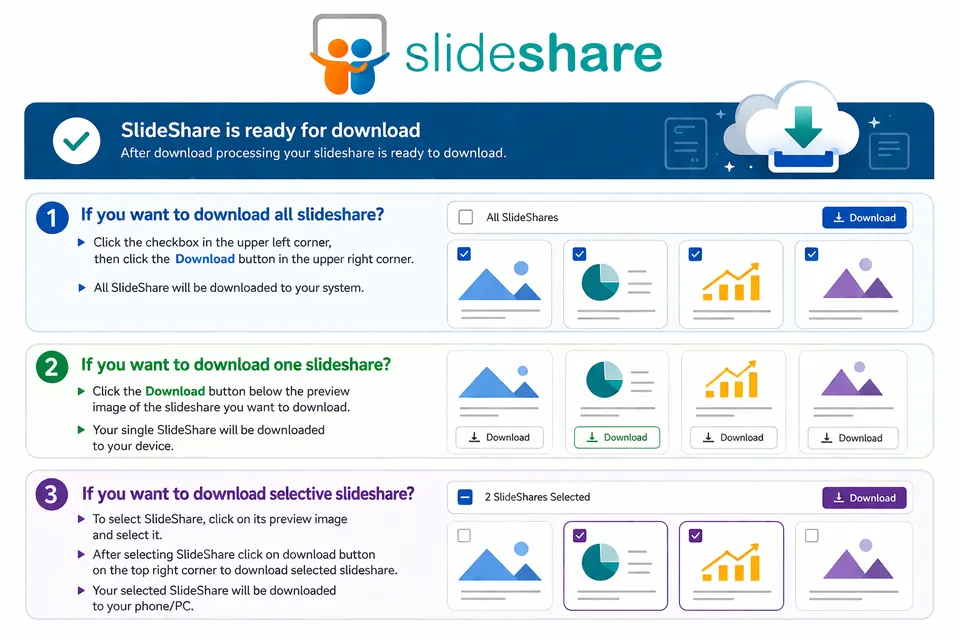
3. Complete captcha and download
Verify captcha, then download as PDF, ZIP, or individual slide images.
Why Choose SlidesDownloader.pro
Fast and easy
No software install. Paste URL and download directly in your browser.
Multiple outputs
Generate PDF files, ZIP bundles, or download slides as individual images.
Secure access
Captcha protection reduces abuse and keeps the tool stable for real users.
What Is a SlideShare Downloader?
A SlideShare Downloader is a web tool that helps you save public SlideShare presentations for offline access. Instead of opening each slide again and again in your browser, you can convert the full deck into a format that is easier to read, store, and share. Many people search for a slideshare to pdf option because PDF files are simple to open on laptops, tablets, and phones without needing a continuous internet connection. Others prefer slide images or ZIP packages when they want quick visual references or need to include selected slides in personal study notes. If you are looking for a slideshare presentation downloader for daily study or project work, this tool is built for that exact purpose.
Students commonly use a SlideShare PPT downloader to review lecture decks while commuting or when internet speed is poor. Researchers and analysts use it to archive public slides cited in reports, papers, and presentations. Teachers and trainers often download SlideShare as PDF so they can annotate key pages, print handouts, or keep copies for class preparation. Team members in remote or low-bandwidth locations also use downloads to avoid buffering issues during meetings. In all of these cases, the goal is the same: save time and keep important presentation content available offline.
Choosing the right format depends on how you plan to use the file. PDF is best for full-document reading, sharing, and printing. ZIP is useful when you want all slide images together in one compressed package for design workflows or custom reuse. Individual image downloads are best when you only need specific slides for reference. SlidesDownloader.pro lets you choose low, medium, or high quality before generating files, so you can balance clarity and file size. If you want to download SlideShare without account login barriers, simply paste a public URL and process it here. The service does not require registration on this website and works directly in your browser.
When Would You Use a SlideShare Downloader?
Save slides for offline learning
If you travel, commute, or study in areas with unstable internet, you can download SlideShare presentation files in advance and read them later without buffering or reloading each page.
Convert SlideShare to PDF for printing
A slideshare to pdf workflow is useful for printing classroom material, sharing with teammates, and keeping a clean archive of important decks in your documents folder.
Use as a SlideShare PPT downloader
When you need visual slide content for reference, this SlideShare PPT downloader helps you export slides as images or ZIP so you can quickly browse and organize presentation pages.
Download SlideShare as PDF without account
For public links, you can download SlideShare as PDF without creating an account on this website. Paste the URL, choose quality, and generate your file in a few clicks.
Frequently Asked Questions
Yes. SlidesDownloader.pro is a free SlideShare downloader online for public presentation links.
Yes. You can download SlideShare without account access when the presentation is publicly available.
You can download as PDF, ZIP, or individual slide images.
Yes. Low, medium, and high quality options are available.
Yes. The downloader works on Android and iOS browsers.
Captcha helps block automated abuse and keeps downloads stable for real users.
No. Files are fetched on demand from source/CDN links.
Yes. Use Download As ZIP or Download As PDF for selected slides.
Files are saved in your browser default Downloads folder.
No. Only publicly accessible SlideShare URLs are supported.
Disclaimer — SlidesDownloader.pro does not host pirated or copyrighted content. Downloads are fetched from source/CDN links. This tool is not associated with SlideShare.